

Widget Customization
All visual settings are configured in the Project Builder in your dashboard. Changes are reflected in the live preview as you edit and applied to your site when you click Publish changes.
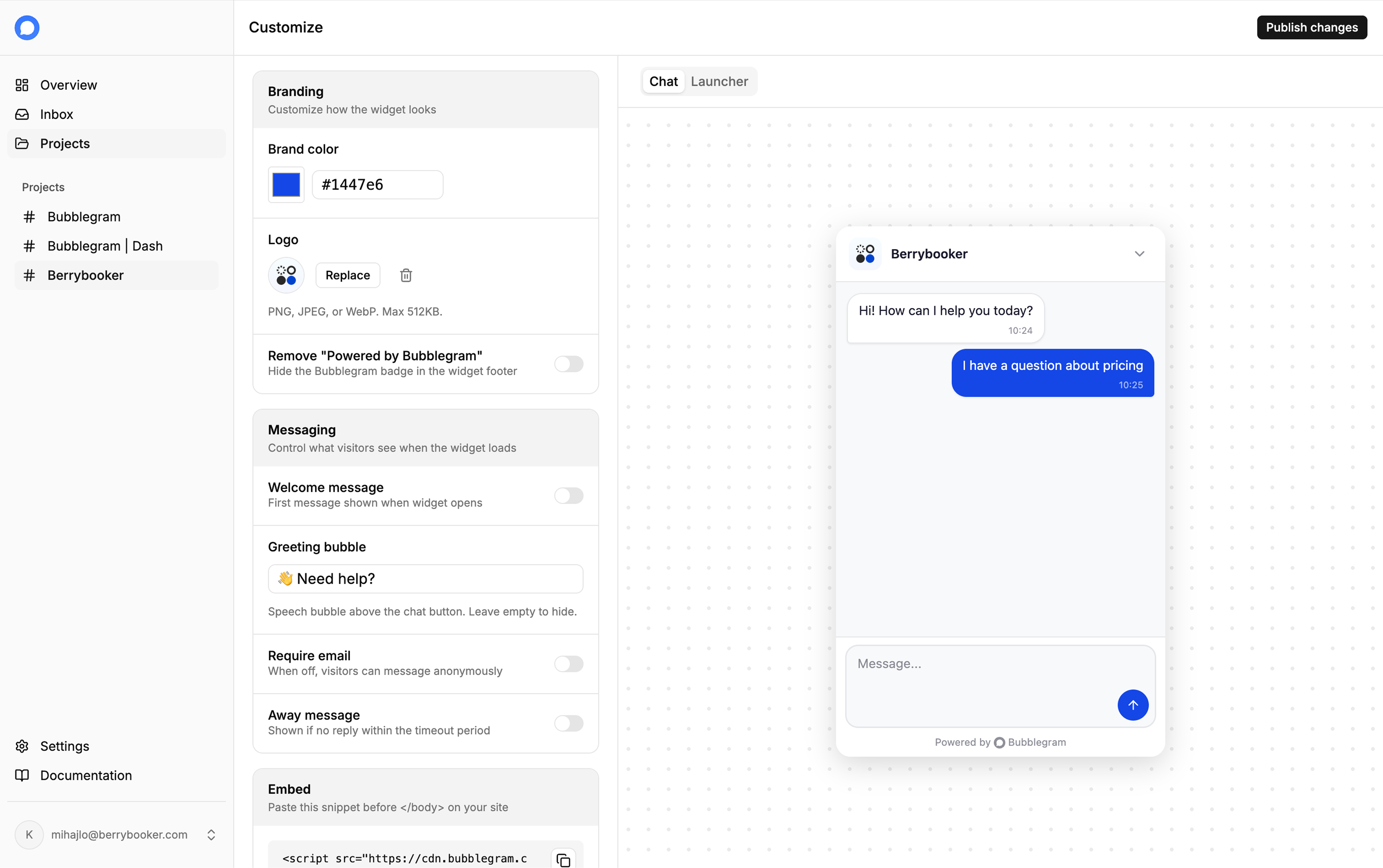
| Setting | Description | Limit |
|---|---|---|
| Brand color | Primary color for the chat button, header, and sent messages. | Any hex color |
| Logo | Shown in the widget header. PNG, JPEG, or WebP. | 512 KB max |
| Welcome message | Displayed as the first message when the widget opens, before the visitor types anything. | 200 characters |
| Greeting bubble | Short text shown in a speech bubble above the chat button. Leave empty to hide it. | 100 characters |
| Require email | When on, visitors must enter their email before sending a message. When off, anonymous messaging is allowed. | Toggle |