

AI customer support for live chat and email

Most support questions are already answered on your website. Assistant is AI customer support that reads it, and replies for you in live chat and email.
Let Assistant reply automatically or suggest drafts. Not sure? It hands off to you.
Why it took a while
I’ve always been careful with AI in support. I once wrote that a human reply in 4 hours beats an AI reply in 4 seconds that doesn’t help, and I still think that.
AI can answer well now. The hard part is trusting it with your customers, and most tools give you two options: full autopilot or nothing.
Customers don’t search your docs. They ask in chat, even when the answer is one click away.
So Assistant earns trust in steps. It starts by drafting replies you approve in Telegram. Once the drafts stop needing edits, let it reply on its own.
How it works
1. Add your sources
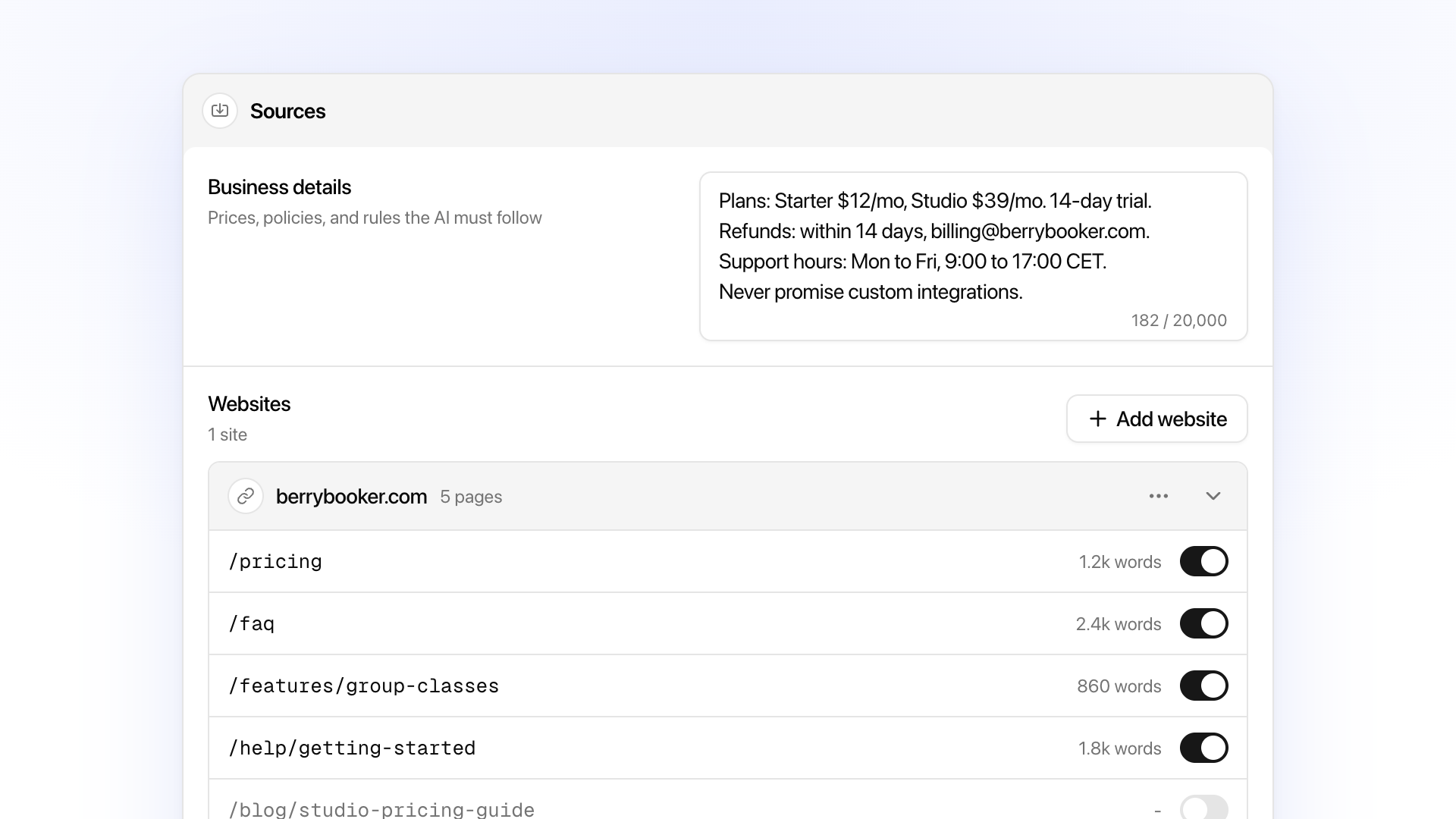
Assistant answers from two sources:
- Your website. Paste your URL and it reads your pricing, FAQ, docs, and policy pages. Open any page to check or edit what it learned.
- Business details. Add what’s not on your site, like support hours or what it should never promise. These override your website.
2. Choose how it replies
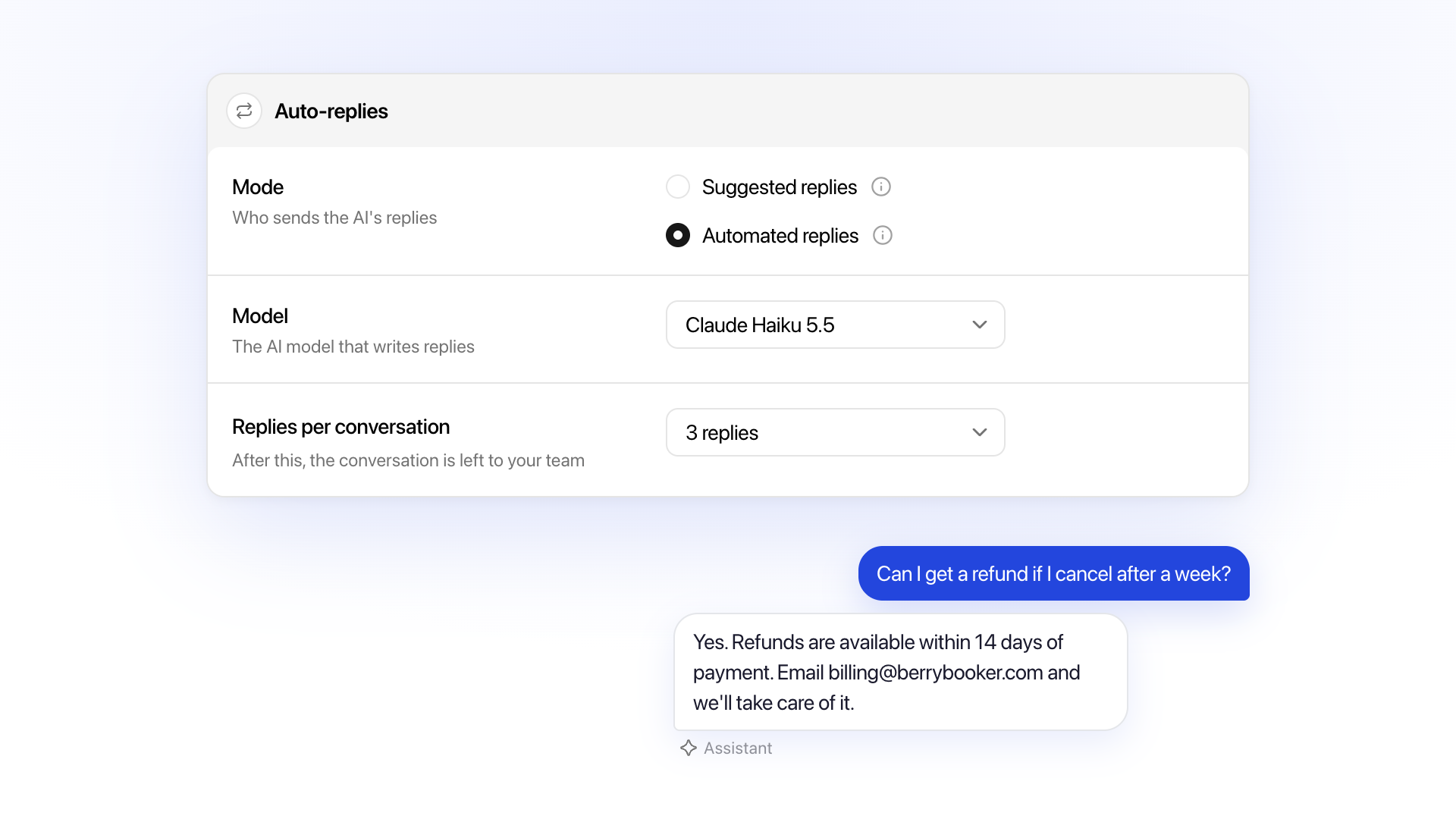
- Suggested replies. Assistant writes a draft. You send, edit, or dismiss it from the inbox or straight from Telegram. Nothing reaches the customer until you say so.
- Automated replies. Assistant answers the customer directly. You see a copy of every reply in Telegram and the inbox.
I’d start with suggestions. Watch what it writes for a few days, and switch to automated when you trust it.
3. Review and improve
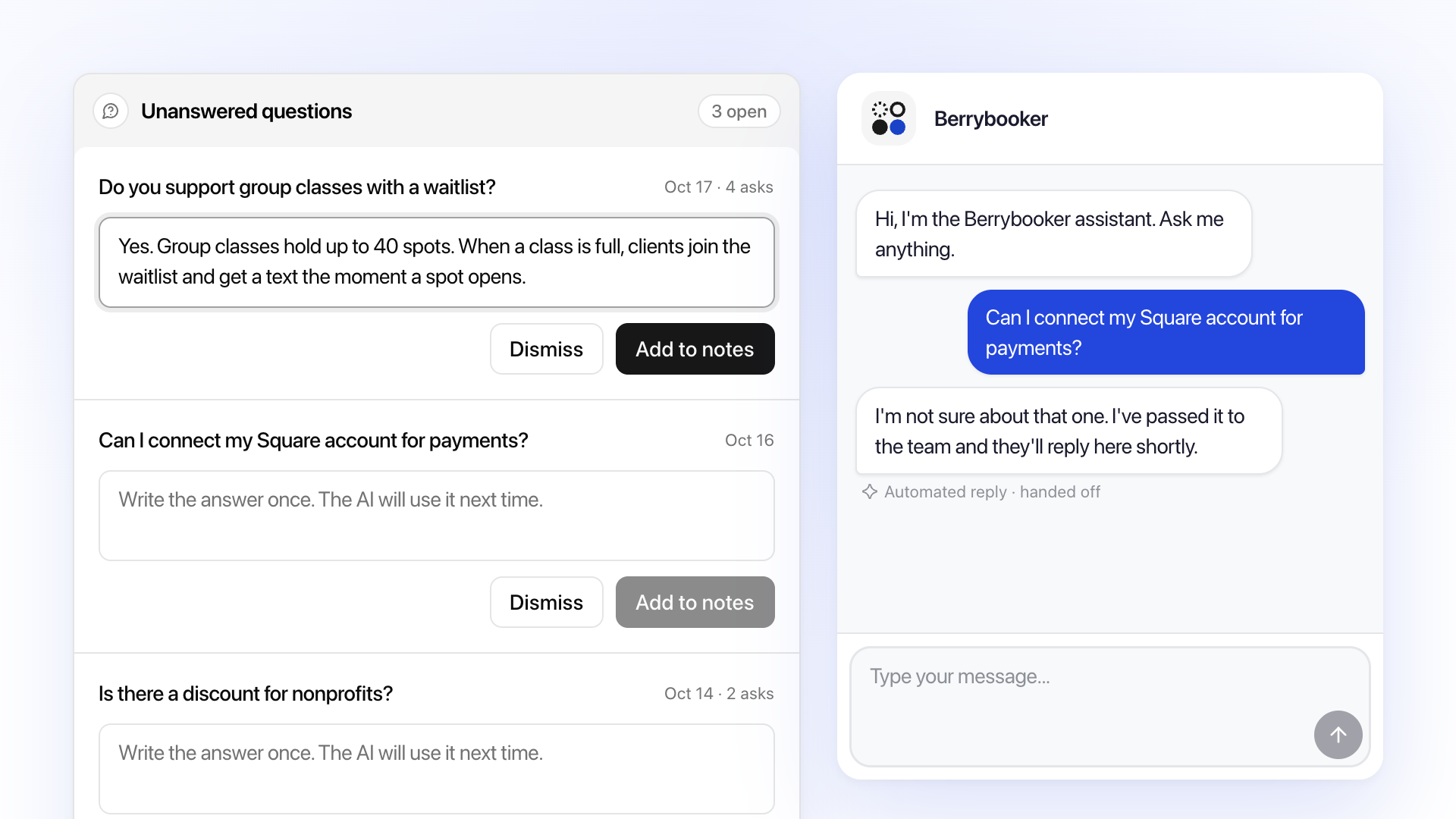
Questions it couldn’t answer land in an Unanswered tab. Write the answer once and it’s added to your business details, so next time it knows. You can also test Assistant in the dashboard before going live.
You stay in control
Assistant works alongside you, not instead of you:
- It won’t invent facts. Replies with prices or links not in your sources are never sent.
- It won’t talk over you. If your team replied in the last 10 minutes, it waits 60 seconds before answering.
- It hands off on request. Customers who ask for a person pause it for 24 hours in that conversation.
You still see every message in Telegram and the inbox first, so nothing changes in how you work.
AI replies in live chat and email
- Live chat. Answers customers in your website chat widget, labeled as an automated reply.
- Email support. Replies to support emails through the email channel.
- Any language. Replies in the language the customer writes in.
- Your voice. Set the tone and reply length to sound like your team.
Models and pricing
Each reply costs AI credits, whatever its length. The default, Claude Haiku 5.5, costs 1 credit and handles most support questions. Bigger models from OpenAI, Anthropic, and Google cost more per reply.
| Plan | AI credits | Models |
|---|---|---|
| Free | 50, one-time | Lite, 1 credit per reply |
| Starter | 500 a month | Up to standard, 2 to 3 credits |
| Pro | 2,000 a month | Up to Claude Opus 5.5, 5 to 10 credits |
Unanswered questions, skipped messages, and tests are free, and daily limits stop spammers from draining your credits.
Get started
Assistant is available on every plan, with 50 free credits to try it.
- Open the Assistant tab in your dashboard and add your website.
- Test it with a few real customer questions.
- Turn on suggested replies and review its drafts for a few days.
I run Assistant on Bubblegram’s own support and tune it on every bad answer. If one of yours gets something wrong, send it to me from the widget on this page, and a human will reply.
New to Bubblegram? Start with how to add a Telegram chat widget to your website, or read the setup docs.
Human-first, AI-assisted.
Talk to customers from Telegram.
Every customer channel in one place.
Resolve tickets yourself, or let AI handle them.