

Turn your Telegram group
into a support inbox
 Telegram
 support inbox
Every conversation in its own Telegram thread.
No help desk bill.
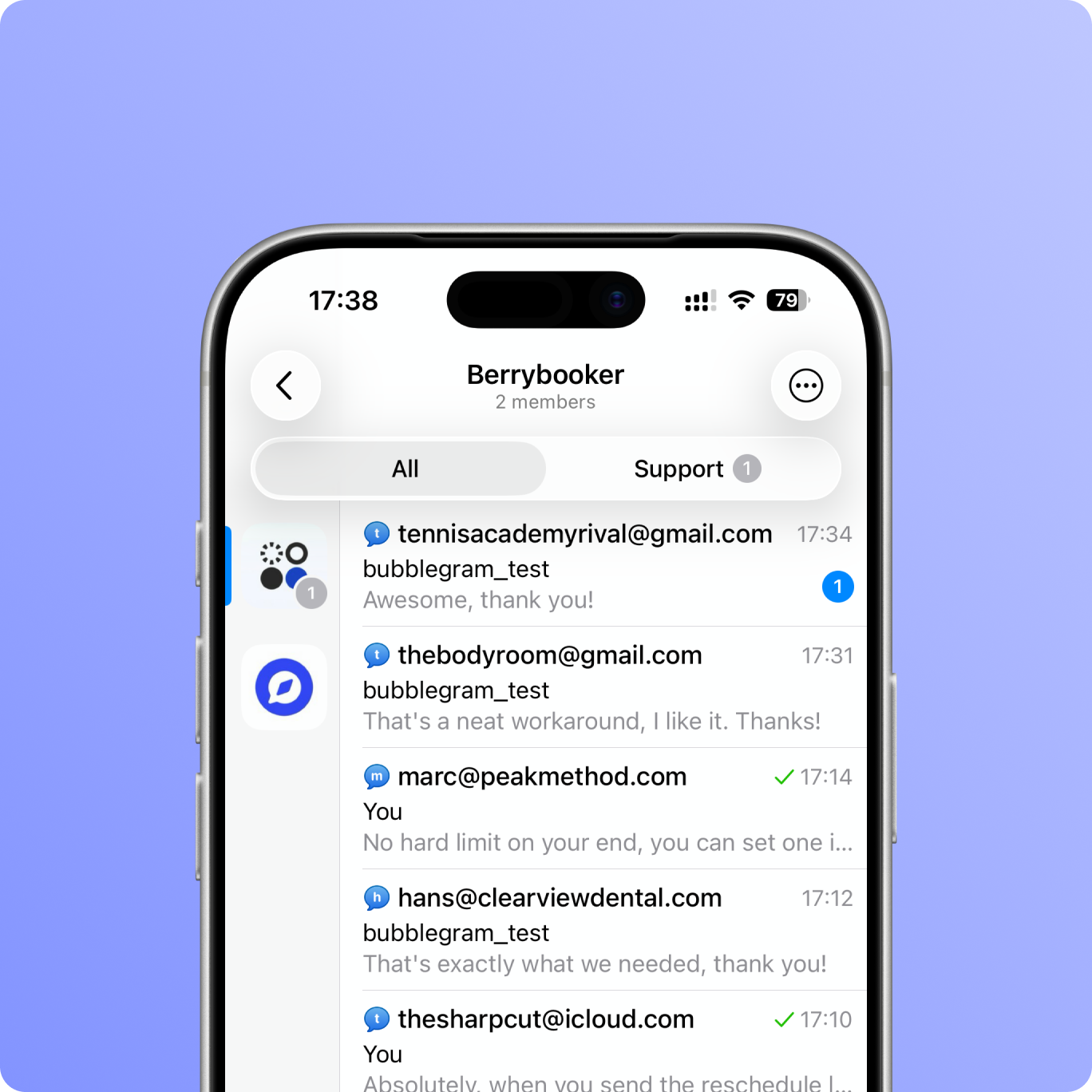

Customers write on your site, you answer from the Telegram app.

Each customer gets their own thread with name, email, and full history.

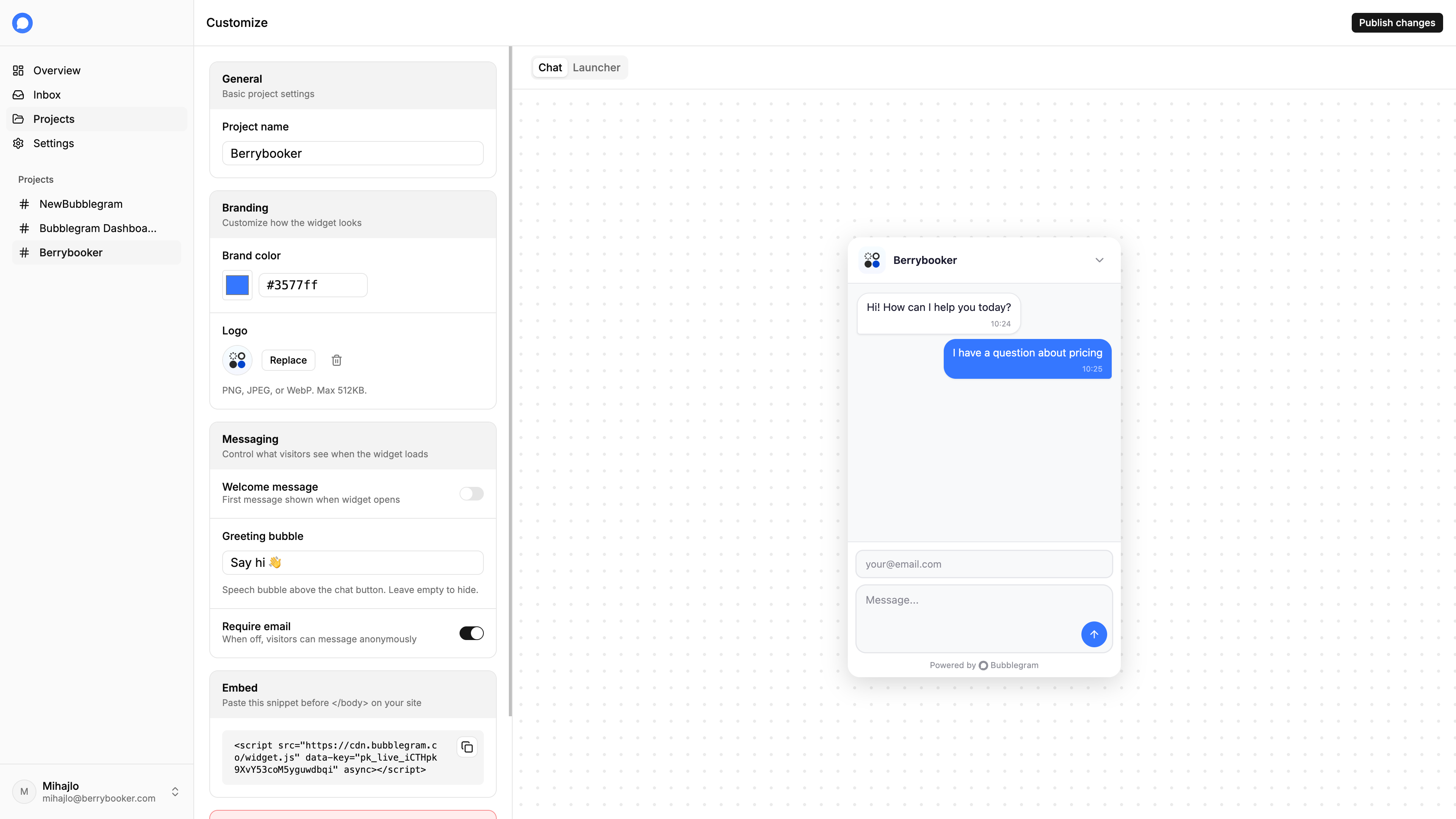
Custom colors, welcome message, and optional email collection. Fits in anywhere.
⚡️ Set up in minutes.
Three steps and you're live.

Enable Topics in your group settings and add the bot as an admin.

Add your domain in the dashboard and grab your widget code.

Add it to any page and you're live.
✨ Make it yours
Adjust colors, logo, and messaging from the dashboard. Every change reflects in the live preview before you publish.
💬 Reply from Telegram.
Messages arrive as threads in your group. You reply the same way you reply to anyone on Telegram.
Common questions
Do my visitors need a Telegram account?
No. They type in the chat widget like any normal chat. Telegram is only on your end.
How does it work?
Each visitor gets their own topic in your Telegram group with their email, country, and device info attached. Reply in the topic and it lands back in the widget.
How long does setup take?
Under 5 minutes. Connect your Telegram group, grab the snippet, paste it on your site.
What happens when I'm offline?
Messages are stored and waiting in your Telegram group. Reply whenever you're back. The visitor gets your response next time they're on your site.
Can my team respond too?
Yes. Anyone in the Telegram group can reply.
Can I customize the widget?
Yes. Colors, welcome message, and position. It matches your brand, not ours.
What websites does it work with?
Anything that supports a script tag: WordPress, Shopify, Webflow, Next.js, static HTML, and more.
How much does it cost?
Free for one website. Multi-site support is $9/mo.
Intercom is overkill.
DMs are chaos.
Most support tools cost a fortune. Bubblegram routes messages to Telegram and gets out of the way.
Start for free